

What Is Sales Email Automation? A Practical Setup Guide
Sales email automation uses software to schedule and send messages, organize follow-ups, and support repeatable outreach workflows. Its purpose is to reduce routine coordination while keeping the conversation relevant and accountable.
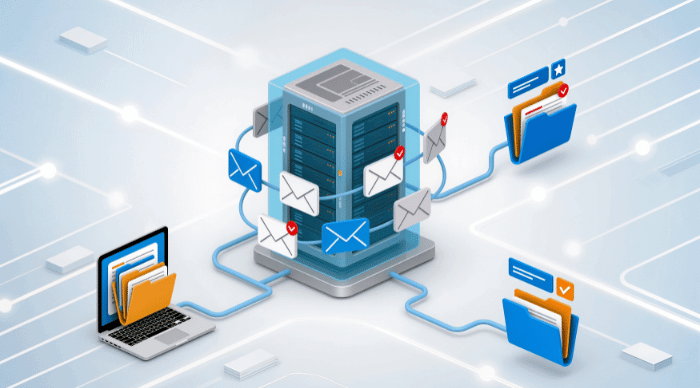
Sales email automation uses software to schedule and send messages, organize follow-ups, and support repeatable outreach workflows. Its purpose is to reduce routine coordination while keeping the conversation relevant and accountable.
Automation can remind a rep what to do next. It cannot establish that a prospect needs the product, verify every claim in a message, or guarantee inbox placement.
A useful first campaign starts with a narrow audience and a workflow the team can actually support.
1. Define the audience and intended conversation
Write down who the sequence is for, why the problem may matter, and what a useful first response looks like.
For example: sales development managers at companies adding reps, discussing how follow-up ownership is managed. That is specific enough to guide research and copy.
Exclude existing conversations, customers who should follow another process, opt-outs, and accounts outside the use case. Avoid enrolling a large list simply because the software can send to it.
2. Connect and test the mailbox
Use the provider-supported connection and authentication method. Check outgoing delivery and incoming replies through the real application.
Send a message to an outside test mailbox, reply, and inspect what happens to the next scheduled step. Check the sender name, reply address, signature, links, and any personalization fallback.
A direct mailbox or API connection does not guarantee placement in the primary inbox. Use the deliverability guide for the separate configuration and operational checks.
3. Build a short sequence with a purpose for each step
An illustrative sequence might include:
- An introduction built around one relevant problem.
- A follow-up offering an existing example or resource.
- A final message that leaves a clear option to decline or pause.
Spacing should reflect your audience, provider policies, and the relationship. There is no universal number of touches or days that makes outreach effective.
If calls or LinkedIn steps belong in the process, assign them deliberately. Coordinate the conversation rather than repeating the same request through every channel.
4. Decide what stops or changes the sequence
Write rules for human replies, automatic replies, bounces, opt-outs, booked meetings, and manual intervention. Some cases need review rather than a simple automated decision.
An out-of-office message may need a dated revisit. A refusal should stop the campaign. An interested response should reach the right person with context.
Test the actual behavior instead of assuming "reply detection" means every action across every channel will stop instantly.
5. Use AI-assisted drafting with verification
AI can help suggest openings or simplify wording, but the person sending the email remains responsible for the content.
Check company facts, role details, dates, and any claimed results. Do not let a generated sentence invent a shared connection, customer story, or product capability.
Use these cold email templates as structures, then supply the actual reason to contact the recipient.
6. Assign reply ownership before launch
Decide who covers each inbox, what happens during absences, and when a conversation moves to an account executive or specialist.
For a small team, a simple ownership rule may be enough. For larger teams or agencies, a written playbook helps avoid duplicate answers and missed handoffs. Our reply-management guide explains the choices.
7. Review outcomes and exceptions
Track positive replies, held qualified meetings, delivery failures, and opt-outs. Read representative threads. Check that follow-ups stop when they should and that promising responses do not wait without an owner.
Start with a limited campaign, correct the problems it reveals, and expand based on useful conversations rather than sending capacity alone.
CadenceKing provides sales engagement workflows across email, calls, and LinkedIn. Bring a clear audience, tested stop rules, and a team ready to respond; those decisions make automation worthwhile.