

Why Cold Email Campaigns Fail Before the First Email Is Sent
Catch campaign problems before the first email goes out. Audit authentication, prospect data, sender accounts, copy, and reply handling, with a launch checklist supported by CadenceKing workflows.
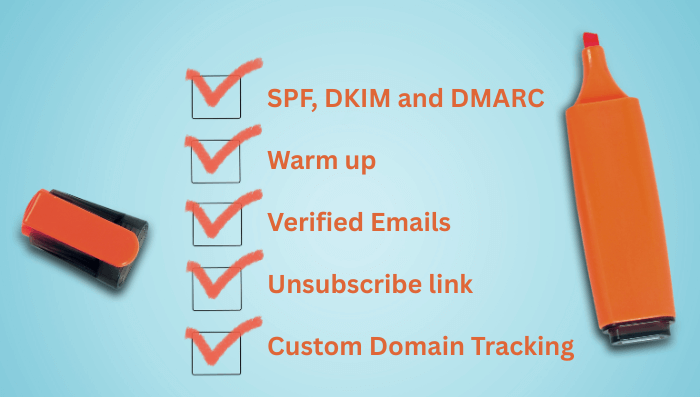
The copy is approved. The prospect list is loaded. The campaign is scheduled for tomorrow morning.
Then someone notices that the sending account belongs to the wrong rep. Another person finds an outdated company name in the opening line. Nobody has tested where replies will arrive.
These are campaign failures before a single prospect has had a chance to respond.
A strong launch process checks the path from sender setup to reply handling. CadenceKing helps organize that path through connected email accounts, message approval, scheduling, and activity visibility. A pre-launch audit makes sure the workflow has a sound foundation.
Check authentication and mail routing separately
Email infrastructure terms are easy to group together, but they answer different questions. Knowing the distinction helps you investigate the right part of the system.
| Component | What it does | Pre-launch question |
|---|---|---|
| MX | Identifies mail servers used to receive mail for a domain | Can replies reach the intended mailbox? |
| SPF | Authorizes sending sources for an email domain identity | Does the record cover the service actually sending the message? |
| DKIM | Uses a domain signature to support message authentication | Is the intended sending service signing messages successfully? |
| DMARC | Checks alignment with the visible From domain and publishes handling preferences | Does a real test message pass with the expected aligned identity? |
| SMTP | Provides the protocol used to transfer email | Is there a connection, acceptance, or delivery error to investigate? |
For the underlying definitions, see Cloudflare's DNS record reference, the DMARC specification, and the SMTP specification.
Ask your email administrator to verify the actual sending path and inspect a test message's authentication results. The existence of a DNS record alone does not show that the message used the intended service or identity.
Check the current requirements of the providers you send to. For example, Google's guidance for personal Gmail accounts distinguishes requirements for all senders from additional requirements for bulk senders, including authentication and unsubscribe provisions. Use the applicable requirements, not a generic checklist copied from an old campaign. Google's sender guidelines provide the current details.
CadenceKing's OAuth-based Gmail and Microsoft Outlook 365 connections help establish the application-to-account connection. That connection is a separate check from domain authentication and inbox placement.
Inspect the prospect list as a campaign input
An address can be technically valid and still belong to the wrong person for your offer.
Review both data quality and audience fit. Remove duplicates, honor existing suppression records, and check for outdated roles or companies. Use email verification where available, but do not treat a verification result as permission to contact someone or proof that your message is relevant.
For a small sample, answer three questions:
- Why does this person fit the campaign?
- What evidence supports the personalization?
- What would make the offer useful to them now?
If those answers are weak across the sample, fix the audience before improving the subject line.
CadenceKing's campaign workflow gives the team a place to execute the outreach. The quality of the audience you bring into that workflow still matters. Assign someone to approve the list criteria and exceptions before enrollment.
Verify the account and the complete reply path
Check the sender's name, email address, signature, and campaign assignment. Then send a controlled test to a mailbox your team owns and reply to it.
Confirm that the reply reaches the correct account and is visible to the person responsible for responding. Review how an automatic reply differs from a substantive reply in your operating process. Also test how the team records and handles an opt-out.
In CadenceKing, inspect the connected account and use Activity Monitoring to review sent, received, and scheduled email activity. A successful send is only part of the check. The campaign should also be ready to handle the answer.
Review the message a prospect will actually receive
Preview complete messages for several contacts, including records with missing optional fields. Look for awkward substitutions, empty greetings, incorrect company names, and claims that the source data does not support.
CadenceKing's Approval Workflow allows AI-generated emails to be reviewed, edited, approved, or skipped before sending. Use this checkpoint to assess the finished message:
- Does the first sentence explain why the recipient was selected?
- Is every factual statement accurate?
- Does the message make one clear, relevant point?
- Is the call to action easy to understand?
- Do links lead to the promised content?
- Can the recipient identify the sender and express a contact preference?
AI can help draft the copy. The reviewer remains responsible for deciding whether it is ready to represent the business.
Set a schedule your team can support
Configure business days, working hours, recipient time zones, and intervals in CadenceKing's Email Scheduling. Review the combined workload across campaigns using the same mailbox and across the reps who handle replies.
A schedule is also a staffing commitment. If a launch creates more conversations than the team can answer promptly, the response process becomes the bottleneck.
Start with a controlled audience whose responses you can inspect carefully. Choose the size based on account history, provider constraints, audience quality, and team capacity. A mailbox's permitted sending limit is not an inbox-placement guarantee.
Launch small and investigate the actual errors
During the first sending window, review activity and delivery feedback. Identify whether messages are scheduled, sent, delayed, or rejected using the information available in CadenceKing and your email provider.
An invalid recipient, an authentication problem, and a temporary delivery failure need different responses. SMTP distinguishes temporary failures from permanent failures; use the specific server response and provider guidance instead of repeatedly retrying every problem address. The SMTP specification defines these response classes.
Use CadenceKing's engagement tracking to inspect replies and unsubscribes after launch. If your setup includes verification or bounce-monitoring tools, include them in the review; consult mailbox-provider diagnostics for information outside the app's activity records.
A reusable pre-launch checklist
- [ ] The audience and exclusion criteria are approved.
- [ ] Duplicate, invalid, and suppressed contacts have been handled.
- [ ] The intended sending account is connected in CadenceKing.
- [ ] Domain authentication has been checked using a real test message.
- [ ] The receiving mailbox and reply path have been tested.
- [ ] Sender identity, signature, and campaign assignment are correct.
- [ ] Personalized messages have been reviewed, including missing-data cases.
- [ ] AI-generated copy has passed the approval review.
- [ ] Links and promised resources work.
- [ ] Sending windows, time zones, and intervals are configured.
- [ ] A named person owns replies, opt-outs, and launch monitoring.
- [ ] The initial audience is small enough to review and support.
Keep the completed checklist with the campaign brief. CadenceKing can then support the daily work of approved messaging, scheduled sending, and activity review, with fewer avoidable problems carried into launch day.